Review widget for senior living
A review widget for senior living puts the reviews families already trust on your own website.
A review widget for senior living is one line of code. It puts your rating and your best reviews from Google, Seniorly, A Place for Mom, Caring.com, SeniorAdvisor.com and the rest on your website, each with the site’s own logo: a badge in the corner of every page, or a roller of review cards wherever you want it. You pick the reviews and the look, and the reviews refresh on their own after every audit. On Census Watch, Full Census and Waitlist alike.
Show me my reviews widgetScroll to the right to see more data
Illustrative sample data in the Census Mastery interface.
Senior living review widget
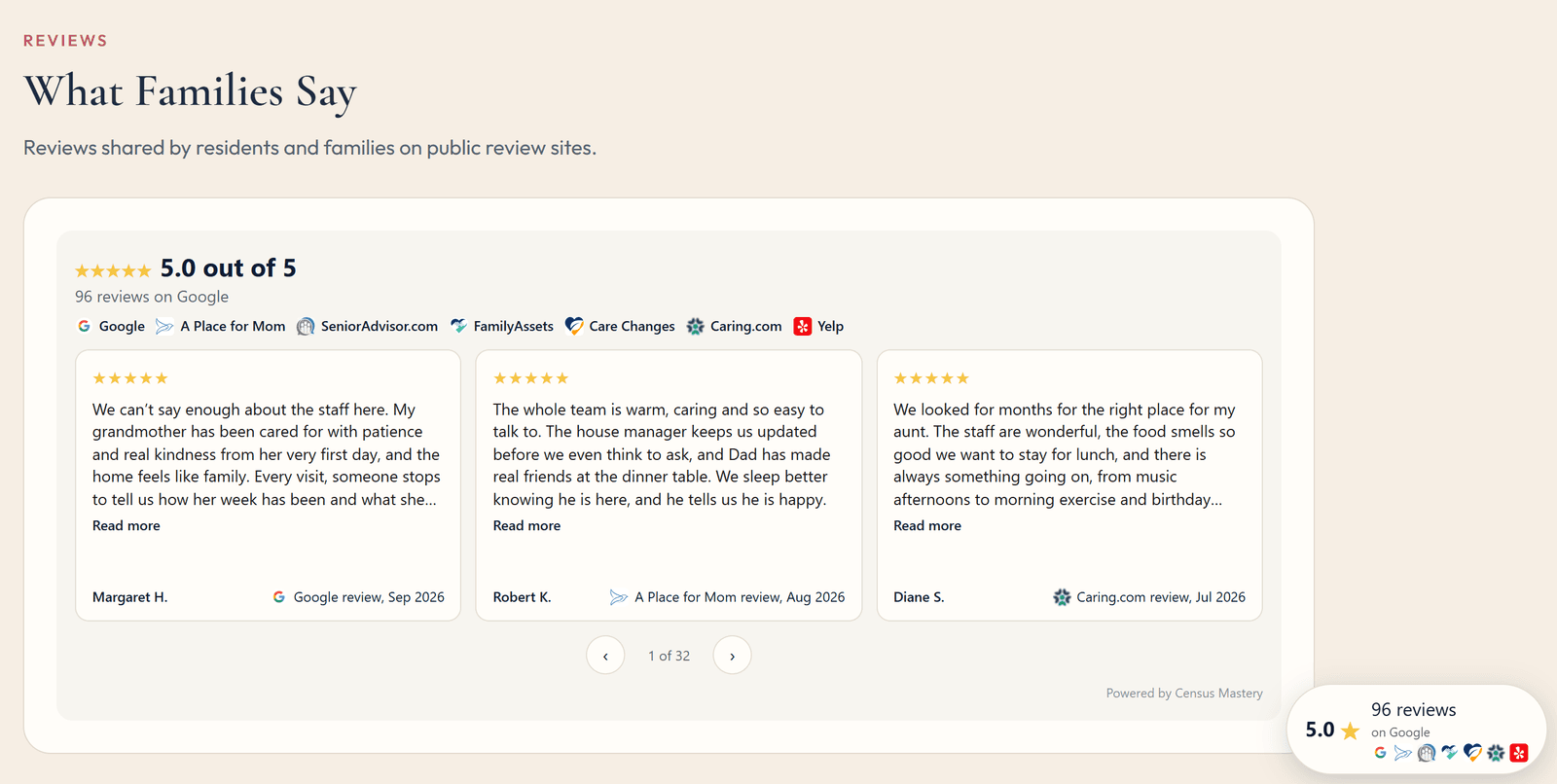
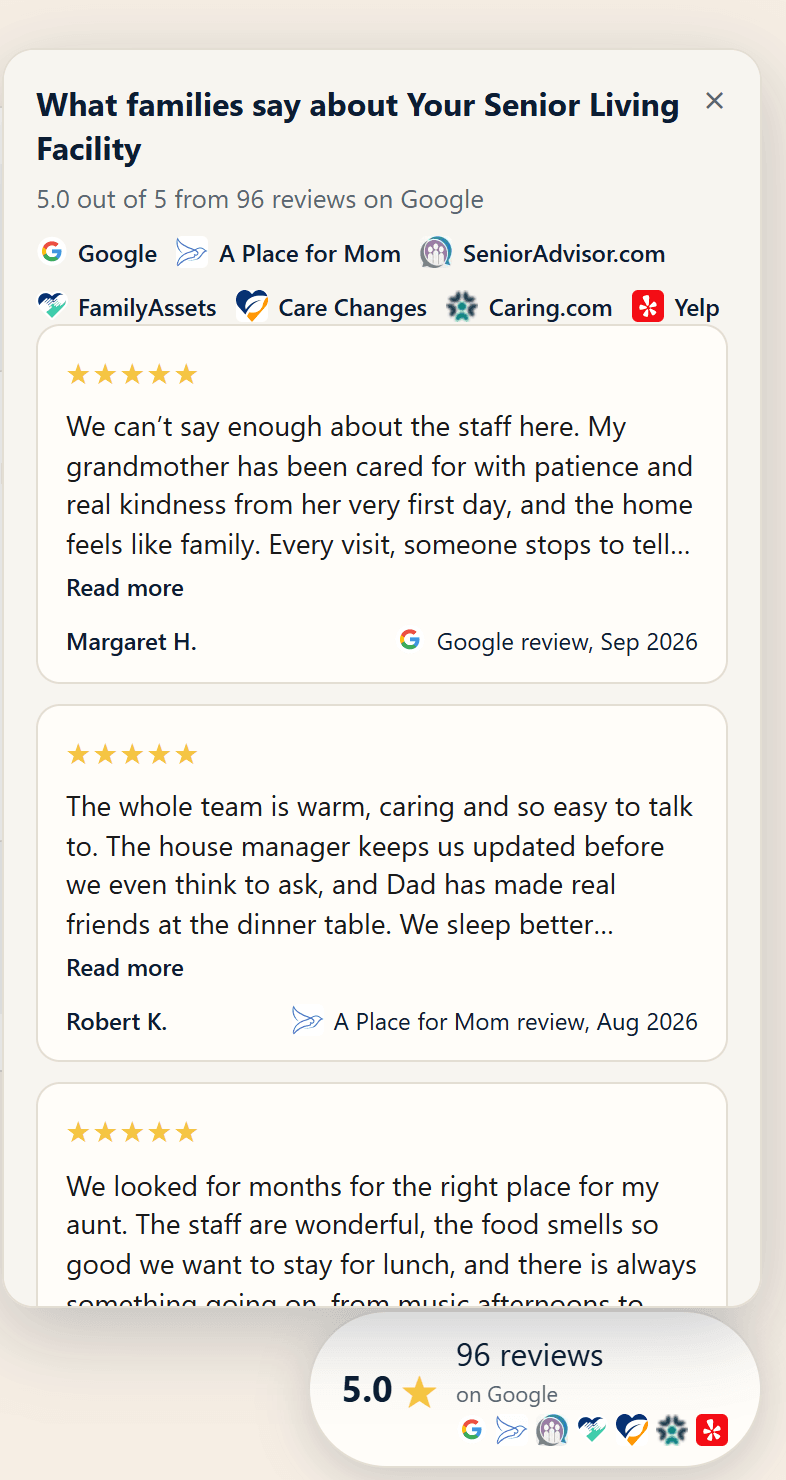
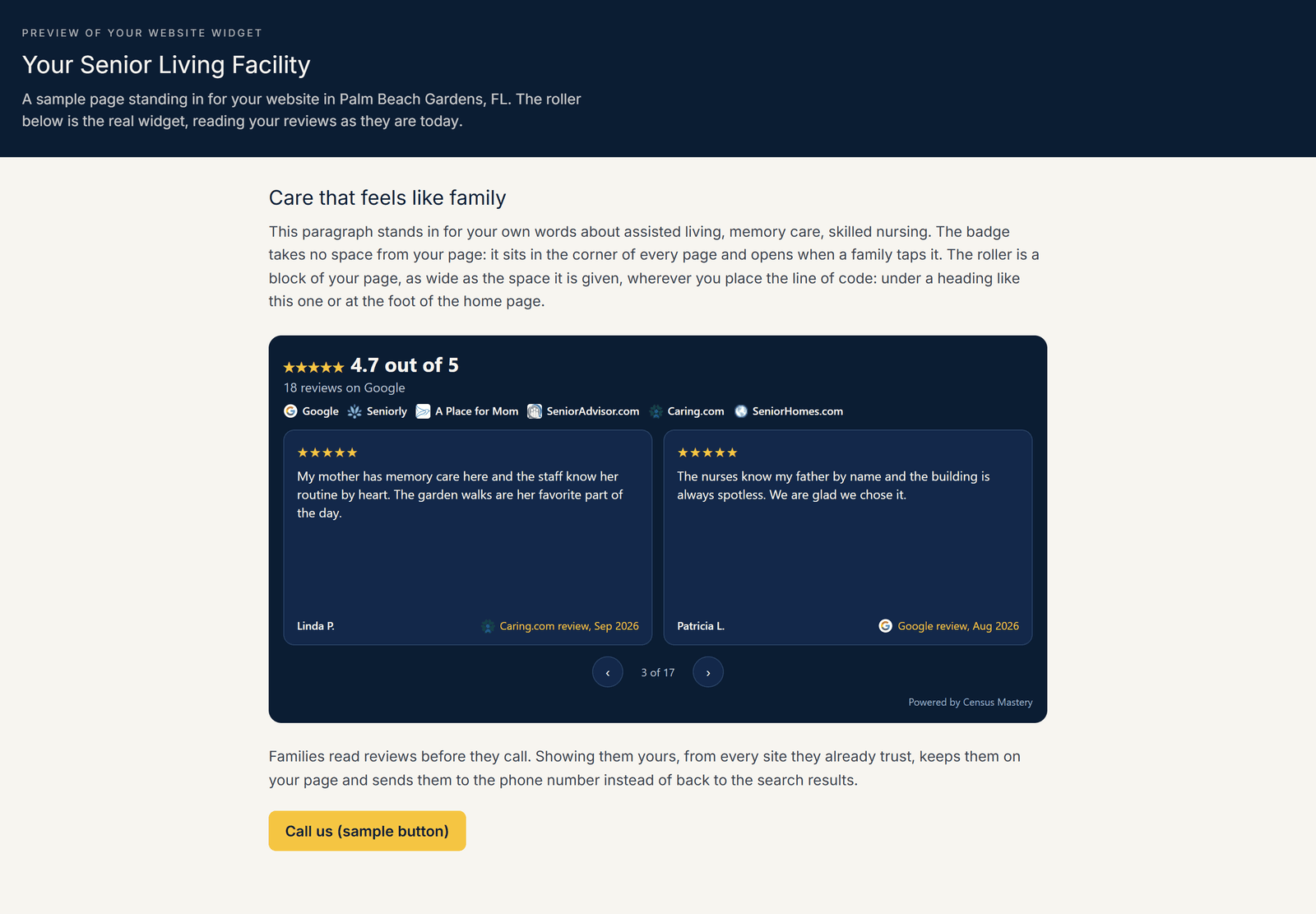
The badge sits in the corner of every page: your rating, the number of reviews and the logos of the sites they come from. A family taps it and the reviews open, each with its stars, who wrote it, the site and the month, and a link to read it where it was written. The roller is a row of review cards that turns on its own every six seconds, with arrows, under a heading on your home page or at the foot of any page. Every card is the same size; a long review stops after five lines with “Read more” to the original. Both can run on the same website: the badge floats in the corner and takes no space from your page, and the roller sits wherever you paste its line.
- Reviews from Google, Seniorly, A Place for Mom, Caring.com, SeniorAdvisor.com, Yelp and every other site the tool reads
- Each review with the site’s own logo, who wrote it and the month, “Caring.com review, Sep 2026”, and a link to the original
- Refreshed on its own after every audit; your website picks up the change within ten minutes
- The same review printed by two sister sites is shown once
- One line of code: WordPress, Wix, Squarespace, GoDaddy or any website that takes a line of code
Scroll to the right to see more data
Illustrative sample data in the Census Mastery interface.
Review widget for assisted living
The roller and the badge each take one of four looks, cream, white, navy or black, chosen separately for each, so the roller can be navy on your home page while the badge is white in the corner. The text follows the look on its own, the stars stay gold on all four, and on cream and white the headline takes your accent color. The badge sits in the bottom right corner or the bottom left, whichever suits your page.
Scroll to the right to see more data
Illustrative sample data in the Census Mastery interface.
Reviews on a senior living website
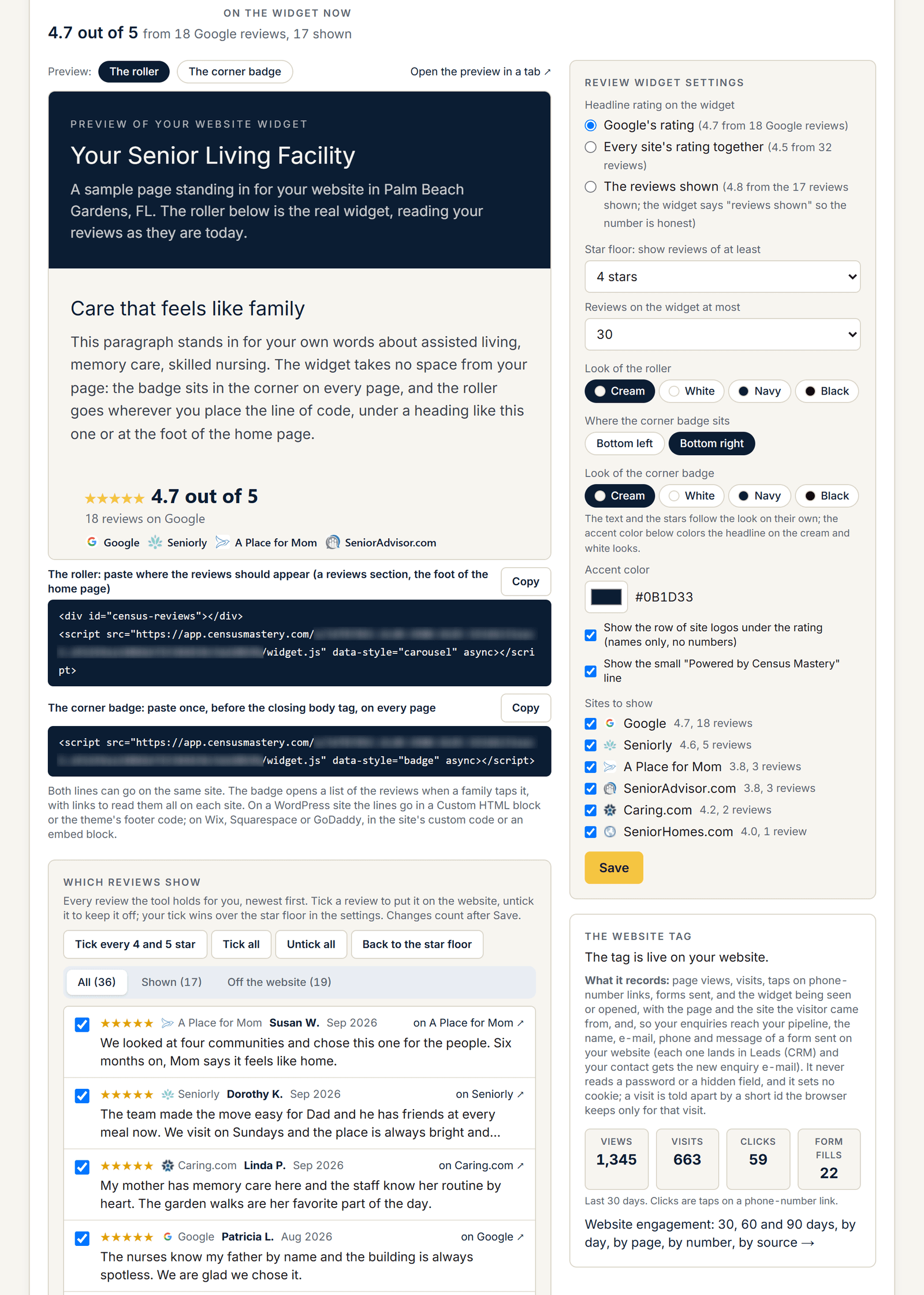
Every written review the tool holds is listed newest first, every star rating, from every site. Tick a review to put it on your website, untick it to keep it off; “Tick every 4 and 5 star” does the first pass for you. Or set a star floor of 5, 4 or 3 stars and let the widget fill itself. The headline is Google’s own rating and review count, “4.7 out of 5, 18 reviews on Google,” unless you choose otherwise: every site’s rating together, weighted by their review counts, or the average of the reviews shown, in which case the widget says “17 reviews shown” so nobody mistakes it for your Google rating.
Under the rating, a row of the sites’ logos and names. Your color, which sites appear, how many reviews at most, whether the logo row and the small “Powered by Census Mastery” line show, and a live preview of both shapes beside the code, all on the Review Widget tab. Copy the line, paste it once, and the reviews refresh on their own after every audit.
Scroll to the right to see more data
Illustrative sample data in the Census Mastery interface.
The same line counts your website
The line of code that shows your reviews also counts page views, visits, taps on phone-number links and forms sent on your website, shows where they came from, down to the ad campaign, and puts every enquiry from your website in your pipeline. The Review Widget tab shows the last 30 days in one row; the whole picture is on its own tab. That is website tracking for senior living, on every plan too.
Why it matters
A family that reads 18 good reviews on Google and then lands on a website with none starts to wonder why. Putting the reviews next to your phone number lets a family read them on your page, without going back to the search results, where the community down the road is one tap away.

“Absolutely reliable reporting and extremely detailed insights. Ronald’s team and tools have helped us maintain a census over 90 percent for five years.”
President, Sunny Hills Assisted Living, Florida.
Find out what the last family saw.
Pick a time and we will run your community’s Census Score with you on the call: your number, your three closest competitors, and the three plays that matter most. The report is yours whether you sign up or not. Senior living reputation management, done for you, from $79 a month. Works for assisted living, memory care, nursing homes, independent living and in-home care.
See my Census ScoreFree. No card. 20 minutes.
Prefer e-mail? Leave your details and we will send your score.
Your score is read from public pages and Google. The only family details we hold are the enquiries and leads in your own pipeline.